Ask your cloud metrics a question: an MCP server for OCI Monitoring
Here is a question every Oracle Integration team eventually asks, usually right after a billing surprise:
Which integration is burning through our message packs?
It is a completely reasonable question. It is also one that OCI’s Metrics
Explorer cannot answer in fewer than six clicks — pick a compartment, find the
oci_integration namespace, choose BilledMessageCount, set the aggregation,
remember that the per-integration breakdown hides behind a dimension called
integrationFlowIdentifier, group by it, then squint at the chart. By the time
you have the answer, you have forgotten why you asked.
So I built a small tool that lets you ask the question the way you’d ask a colleague, and get an answer back in the same register:
You:    Which integrations consumed the most message packs last week?
Claude: ORDERS-to-ERP is your biggest consumer at 4.2M (38%), up 67% w/w —
        most of it Tuesday PM. Want me to break it down by hour?
That tool is oci-metrics-nl-mcp,
an MCP server that exposes Oracle Cloud
Infrastructure Monitoring to any MCP-compatible client — Claude Desktop, in my
case. This post is about why MCP is the right shape for this problem, and the
one design decision I keep coming back to.
The gap MCP fills
The data was never the problem. OCI’s Monitoring API is perfectly capable; it
speaks Monitoring Query Language
(MQL), and BilledMessageCount[1h].groupBy(integrationFlowIdentifier).sum()
returns exactly what you want. The problem is the distance between the question
a human has and the MQL expression that answers it. Closing that distance has
always meant a human who knows both the question and the query language.
A large language model is good at exactly that translation — if you give it the right handles. MCP is the protocol for handing those handles to the model: a typed set of tools the model can call, with the client mediating every call. The model brings the language understanding; the server brings the domain.
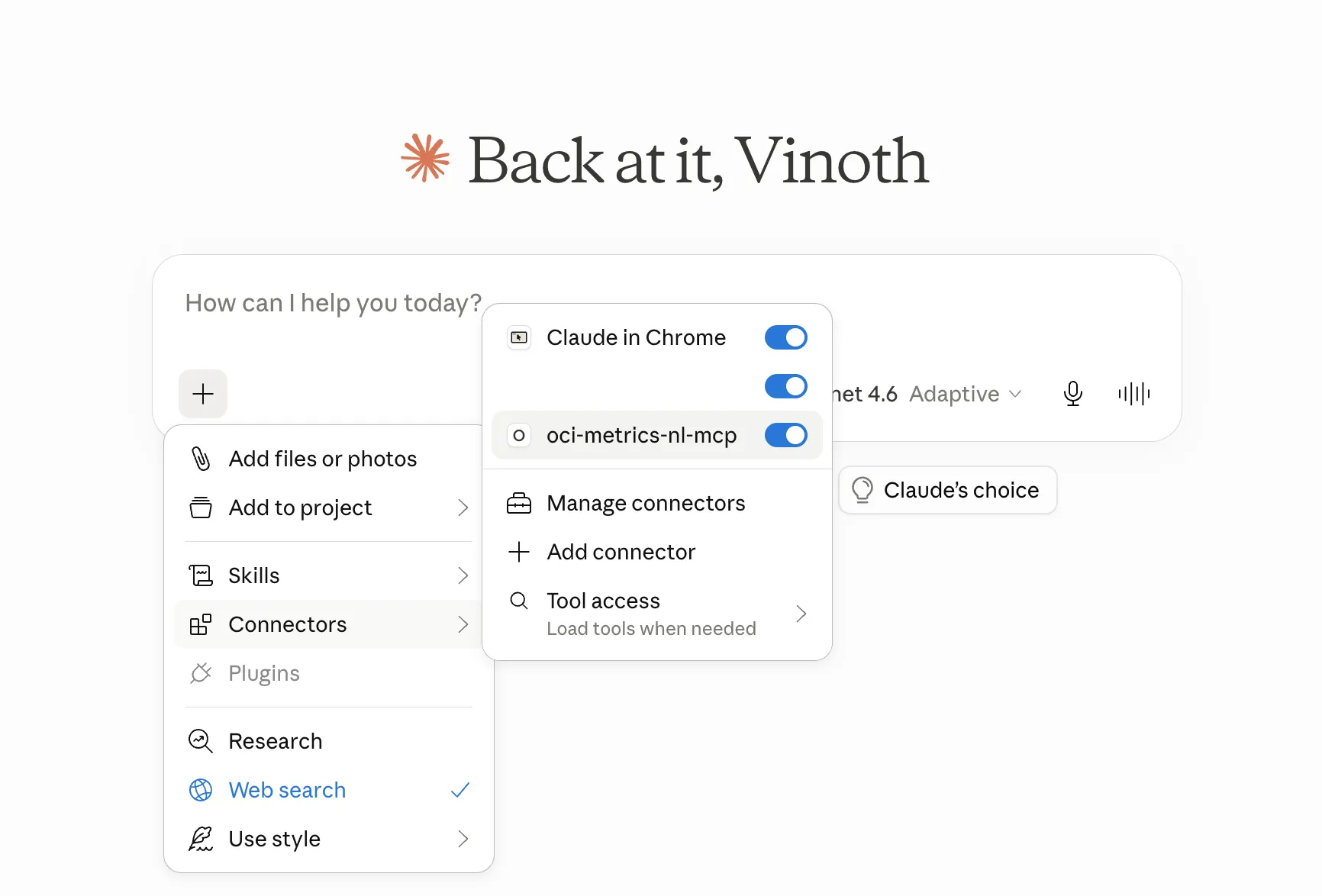
Once it’s configured in Claude Desktop, the server simply shows up as a set of tools the model can reach for:
Four primitives, not one magic button
This is the decision that shaped everything. I could have built a single tool —
find_top_message_pack_consumers() — that does the whole job: the right MQL, the
right grouping, the ranking, the formatting. It would have demoed beautifully.
I didn’t. Instead the server exposes four small, read-only primitives that are meant to be chained:
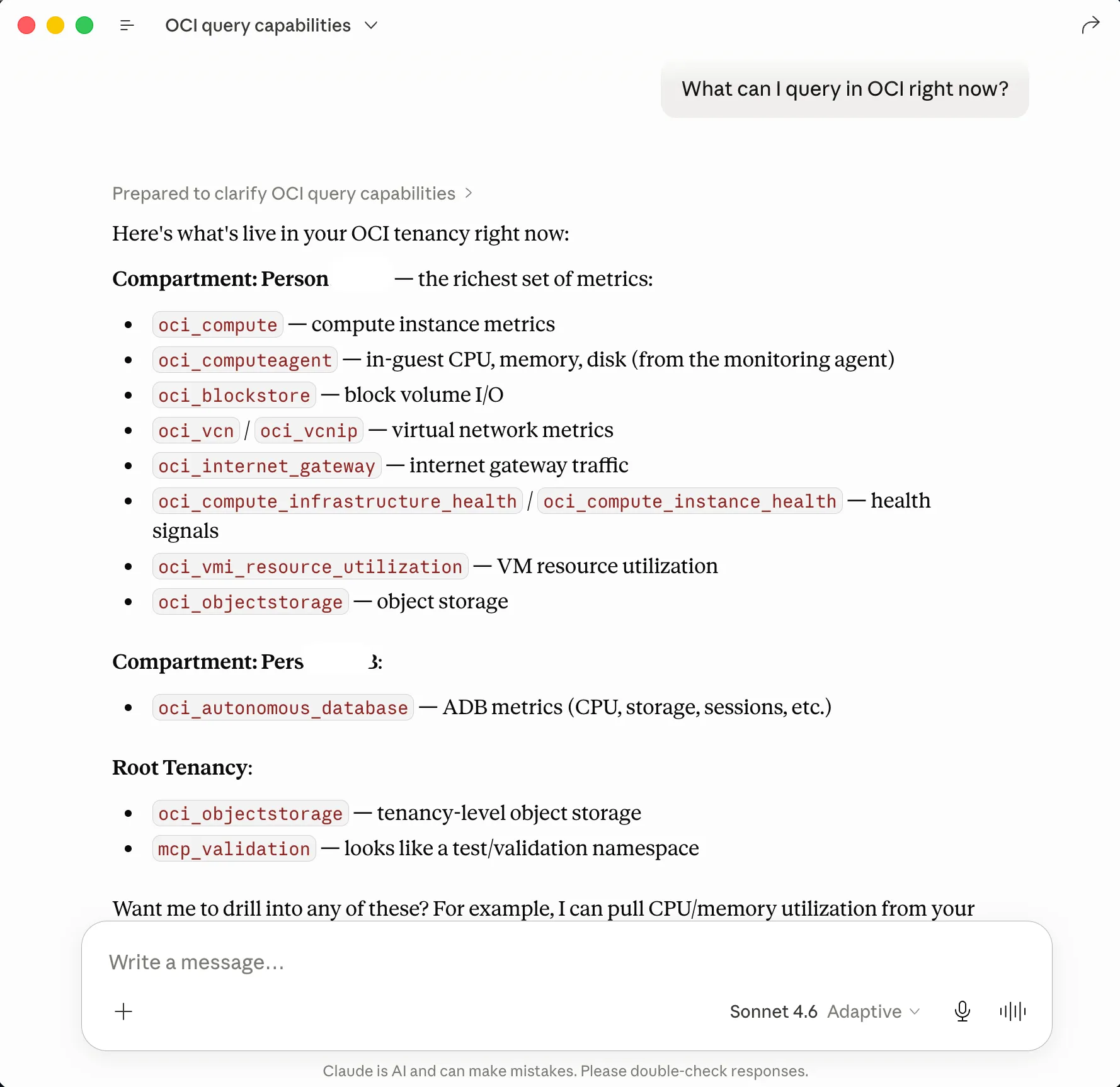
list_observable_resources— every compartment you can see, and which metric namespaces are active in each. This is “what can I even ask about?”list_metric_names— the metrics inside a namespace (e.g.oci_integration→BilledMessageCount,MessagesSuccessfulCount).list_metric_dimensions— the dimension keys and their observed values, so the model learns that integrations are identified byintegrationFlowIdentifierand what the real values look like.query_metrics— run an MQL query over a time range, summarized by default.
So before the model can answer anything, it discovers what exists:
Then it composes the actual query itself — writes the MQL, picks the grouping dimension, ranks the results, and charts them:
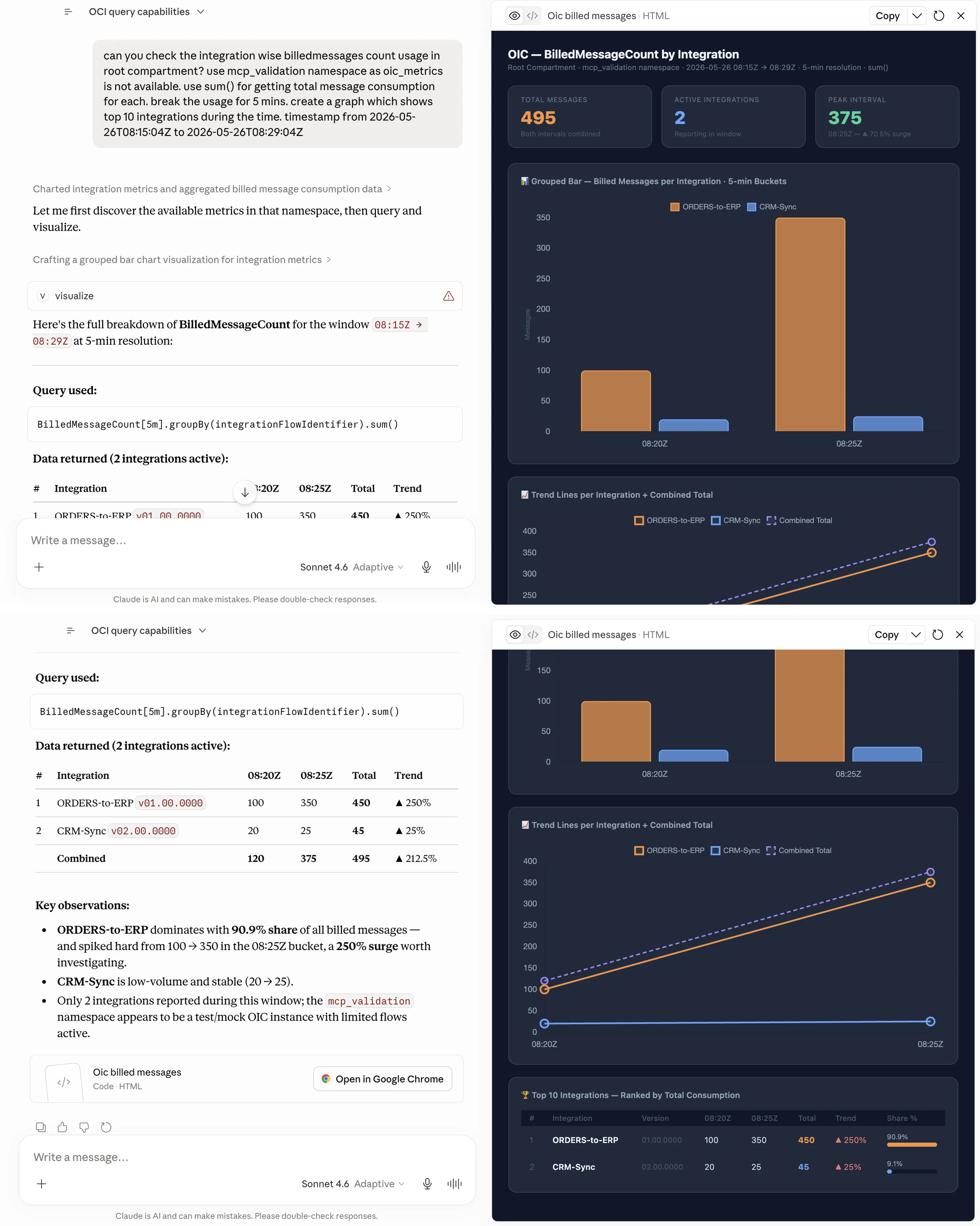
The reason for primitives over a canned report is that the canned report only answers the question I anticipated. The four-primitive design answers questions I never thought of, because the model recombines them. “Show me CPU for the noisy integration’s host” and “compare this week to last” and “which compartment has metrics I’m not watching” all fall out of the same four tools — no new code. The model is the query planner; my job is to give it good primitives and accurate descriptions, then get out of the way.
The roadmap keeps a door open here: if it turns out the model struggles to compose a common question from the primitives, I’ll add a canned intent tool for that specific case. But that’s a fallback for an observed failure, not the default. Start with primitives; specialize only on evidence.
Read-only by construction
A tool that lets an LLM touch your cloud account needs a clear safety story, and mine is the boring kind: the server only ever reads. It lists compartments and reads metric data — nothing writes, nothing mutates, nothing deletes. That’s enforced at the IAM layer, not just in code. The policy you grant is exactly:
Allow group '<your-group>' to inspect compartments in tenancy
Allow group '<your-group>' to read metrics in tenancy
read metrics covers both ListMetrics and SummarizeMetricsData and stops
there. You can scope in tenancy down to a single compartment if you want a
tighter blast radius. The model literally cannot create an alarm or change a
resource, because the credential it runs under isn’t allowed to.
There’s a cost story too, and it’s also reassuring: the server reads built-in
oci_* metric namespaces, which are free in OCI Monitoring and don’t count
toward ingestion. This is Monitoring, not Logging Analytics — different service,
different bill. Asking a lot of questions doesn’t cost you anything.
One sharp dependency worth knowing
The headline use case has a catch worth stating plainly, because it bit me: the
per-integration dimensions (flowCode, flowVersion, integrationFlowIdentifier)
only appear in oci_integration when the OIC instance’s aggregate-metrics flag
is OFF. Turn it on and OCI carries instance-level rollups only — dimensioned by
resourceId — and the per-integration breakdown simply isn’t there to query. No
tool can reconstruct a dimension the platform didn’t emit. Good to know before
you promise someone a per-integration chart.
Where it’s going
It currently ships three versions deep:
- v0.1 — discovery (
list_observable_resources) - v0.2 (current) — drill-down + querying (
list_metric_names,list_metric_dimensions,query_metrics) - v0.3 (next) — read tools for alarms, then write tools behind a
propose-and-confirm pattern (
create_alarm), so the model can suggest an alarm but a human approves the mutation before it happens.
That propose/confirm boundary is the interesting part of v0.3, and probably its own post: how do you let an AI act on infrastructure without letting it act unsupervised? The answer, I think, is the same as with a junior engineer — it can draft, you approve.
A note on how it was built
I built this as a learning project, with Claude Code as a coding pair. The architecture, the primitives-over-reports decision, and the review were mine; the implementation was accelerated by AI. That split — human owns the shape, AI accelerates the fill — is roughly the same bet the tool itself makes about querying metrics. It’s a bet I keep finding good reasons to make.
The code is on GitHub, Apache 2.0, with a sample-data loader so you can try it without a live OIC instance. If you run it, I’d genuinely like to hear what questions you ended up asking it.